A Bizarre Run Trello: Community Help and Game Basics
Looking for A Bizarre Run Trello? Find community help, learn the racing and Stand controls, and see where to follow game announcements and reward codes.
Jump to
Where to Find Community Help
If you're searching for A Bizarre Run trello, start with the game's Discord community and its “questions” and “common-questions” channels. Those channels provide a central place to find answers about Stands, specs, and racing mechanics. Learn what your options do before choosing a build for the race or battlegrounds.
The community information covers:
- Stands and abilities: Explore the different Stand options and their moves.
- Specs: Look up the available specs when planning your build.
- Basic mechanics: Get help understanding how the game works.
- Animals and animal traits: Find information about the available animals and their traits.
- NPCs, bosses, and maps: Look up the characters and locations you'll encounter.
Search for the specific Stand, spec, or mechanic you need help with. For a control question, name the action you're trying to perform; for a build question, specify whether you're playing the race or battlegrounds mode.
The Roblox developer group is named A Bizarre Run By Current. and has 124,356 members. The experience was created on March 11, 2026, and has accumulated 8,114,148 visits and 46,130 favorites. Its Roblox genre is Action, with Battlegrounds & Fighting as the more specific category. That fighting focus sits alongside the horseback racing rather than replacing it.
Racing and Stand Controls to Learn Before Playing
A Bizarre Run combines Steel Ball Run–inspired racing with Stand combat. You can compete for first place in the Bizarre Run or fight other players in the battlegrounds mode using your chosen Stand. Servers support up to 80 players.
Learn these keyboard controls before jumping into the action:
| Key | Action |
|---|---|
| Shift | Run while on your horse |
| T | Call your horse after falling off |
| F | Activate a one-time boost |
| C | Pull out your secondary item |
| Hold C | Choose your secondary item |
| B | Pull out your Stand |
| X | Emote |
| Space | Jump |
Keep T in mind when you fall off your horse so you can call it back. Remember the difference between tapping and holding C: tapping pulls out your secondary item, while holding lets you choose it.
Save F for a deliberate boost opportunity—it is a one-time action. Practice the horse and item controls before focusing on more complicated Stand combinations.
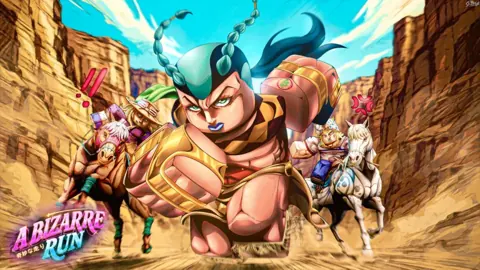
Other racers can knock players off their horses, and revolvers and lassos add threats during the run. Highlighted land mines also appear along the course. Watch for those marked hazards while riding, and call your horse back after a fall. Racing involves both reaching the finish and dealing with interference from other players.
The experience also offers game passes named Custom Kill SFX and Awakening Outfits, priced at 120 Robux and 115 Robux, respectively. VIP appears among the passes but is not for sale. Use those exact names when asking purchase questions in the community so the discussion stays focused on the pass you're considering.
Where to Follow Updates and Codes
The game's Discord community also carries announcements, update information, previews, reward codes, and giveaways. Use the questions channels for gameplay help, and follow announcements when you want news about changes or rewards.

The game's description includes a 50,000-like milestone for a code. That is a reward announcement tied to likes, rather than a redeemable code string. Follow code announcements for the actual text to enter; the milestone message itself contains neither a code nor instructions for redeeming one.
The server also gives players a place to interact with the developers and the wider community. Its previews cover upcoming content, while announcements cover updates. Giveaways offer another community activity alongside the gameplay questions and code news, so the server serves more than one purpose between races.
For the race and battlegrounds modes themselves, play A Bizarre Run on Roblox. Choose the mode you want to learn, then focus your community questions on the controls, Stands, or specs relevant to it.
Continue with
 A Bizarre Run Discord: Join the Server and Find HelpFind the A Bizarre Run Discord invite, learn where to ask gameplay questions, and follow announcements, codes, and race updates before the next Roblox run.
Continue exploring

A Bizarre Run Battlegrounds: Combat and Stand Guide
Learn A Bizarre Run battlegrounds controls, how to get Stands, and where combat rewards fit in. Start fighting with clear tips for your next lobby session.
A Bizarre Run Stands: Unlocks, Moves, and Combat Tips
Learn how A Bizarre Run stands work, get Stand Arrows, reset with Rokakaka Fruit, and compare Tusk, Anubis, Spin, and the launch roster before your race.
Join the community
Official channels for news, updates and player help: